![header-logo.dfd0f01451fc4201cdeb6bea513c8257.svg]](https://support.engineears.com/hubfs/header-logo.dfd0f01451fc4201cdeb6bea513c8257.svg)
🎶 Overview
Creating a private playlist lets you upload unreleased music, share it privately with trusted collaborators, and make updates anytime. You can edit, reorder, or swap songs, and when everything’s ready, you can release your playlist directly to fans through EngineEars Direct or to streaming platforms — all in one click.
🪄 Step-by-Step Guide
1. Go to your Dashboard
Log in to engineears.com and open your Dashboard.
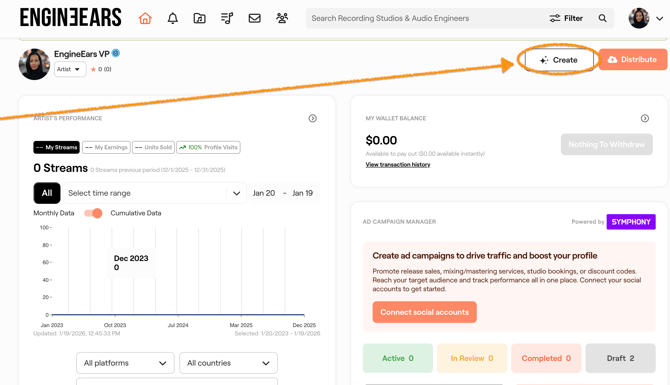
Click “Create”
From your dashboard, click Select “Create” to begin setting up your playlist.
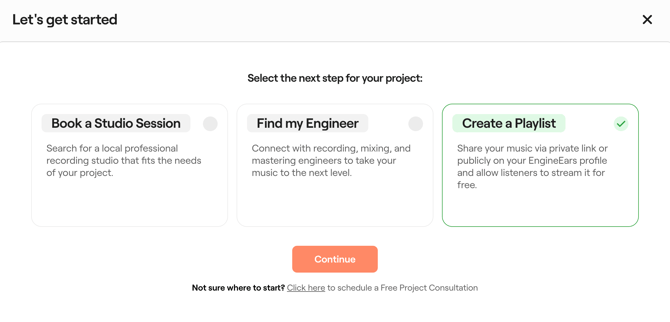
3. Click “Create Playlist”
Click “Continue”
-
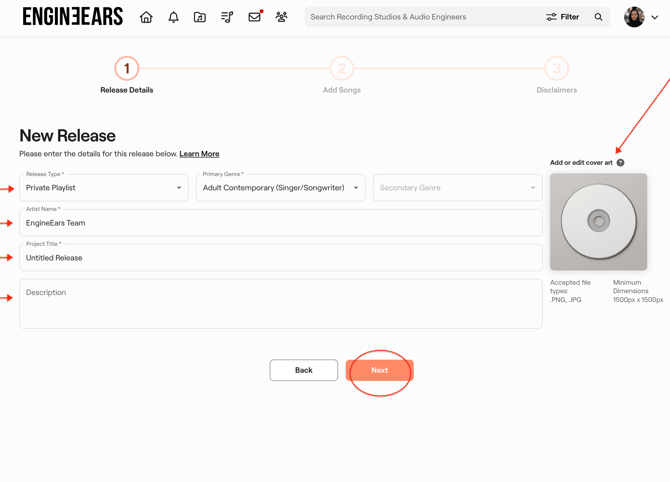
4. Add Your Project Info
Enter all key details for your playlist:-
-
Release Type (single, EP, album, etc.)
-
Primary Genre
-
Artist Name
-
Project Title
-
Description
-
Cover Art
Click “Next”
-
-
-
5. Add Songs
Upload or select your songs to include in the playlist. You can reorder them, swap out tracks, or adjust names later.
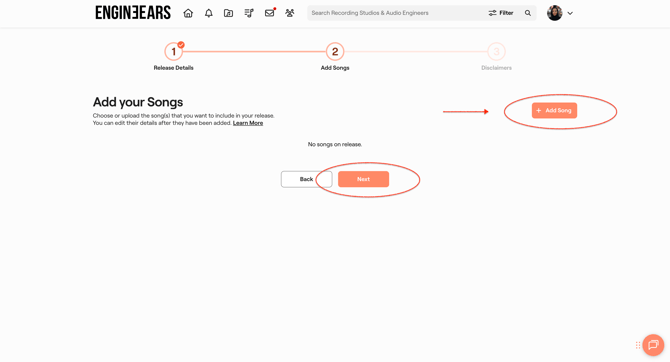
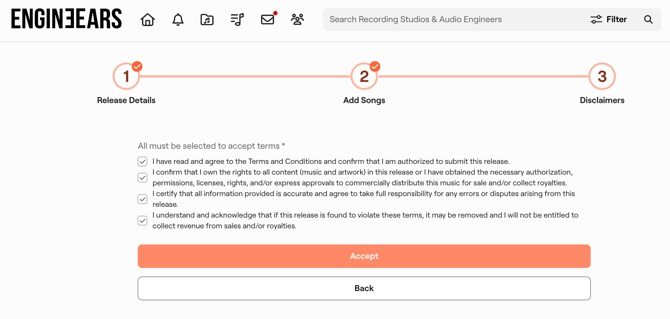
6. Click “Next” and Agree to the Disclaimers
Review the terms and confirm to finalize your playlist setup.
-
Done!
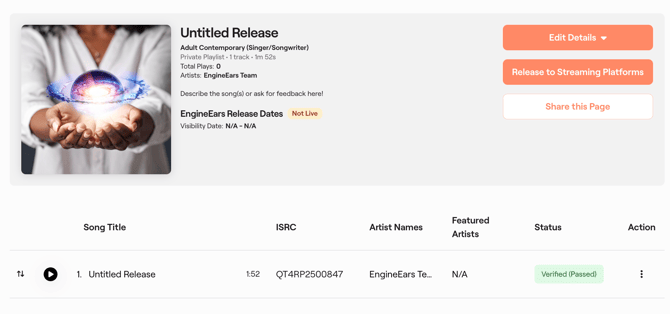
Your Private Playlist is now live and ready to manage. You can:-
Share the private link for feedback
-
Sequence your tracklist
-
Swap out songs anytime
-
When ready — one-click release to EngineEars Direct or streaming platforms
-