![header-logo.dfd0f01451fc4201cdeb6bea513c8257.svg]](https://20049731.fs1.hubspotusercontent-na1.net/hubfs/20049731/header-logo.dfd0f01451fc4201cdeb6bea513c8257.svg)
🔒 Note: For security purposes, takedown and update requests can only be submitted by the artist or label who originally uploaded the release to EngineEars.
Step 1 — Log in to your EngineEars profile
Go to engineears.com and sign in to the account that originally uploaded the release you want to take down.
Step 2 — Navigate to "My Releases"
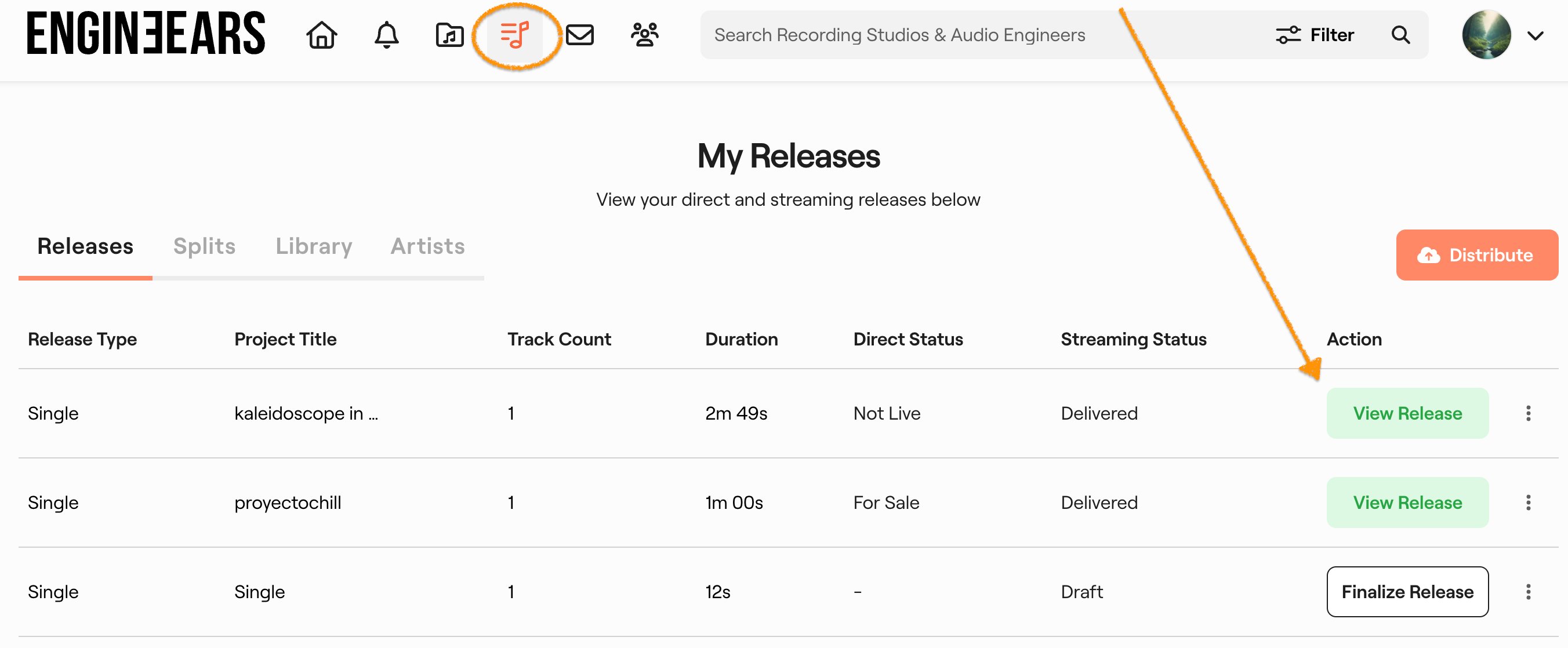
From the top navigation bar, click the releases icon (the music note / stacked lines icon highlighted below). This will open your My Releases dashboard where all your projects are listed.
Step 3 — Select the release you want to take down
Find the release in your list and click View Release to open its detail page. You'll see the release title, track info, EngineEars pricing, streaming release details, and UPC number.
Step 4 — Open "Edit Details" and select "Request Release Update"
On the release detail page, click the orange Edit Details button in the top-right corner. A dropdown menu will appear with several options. Select "Request Release Update."
Step 5 — Your email and UPC are automatically filled in
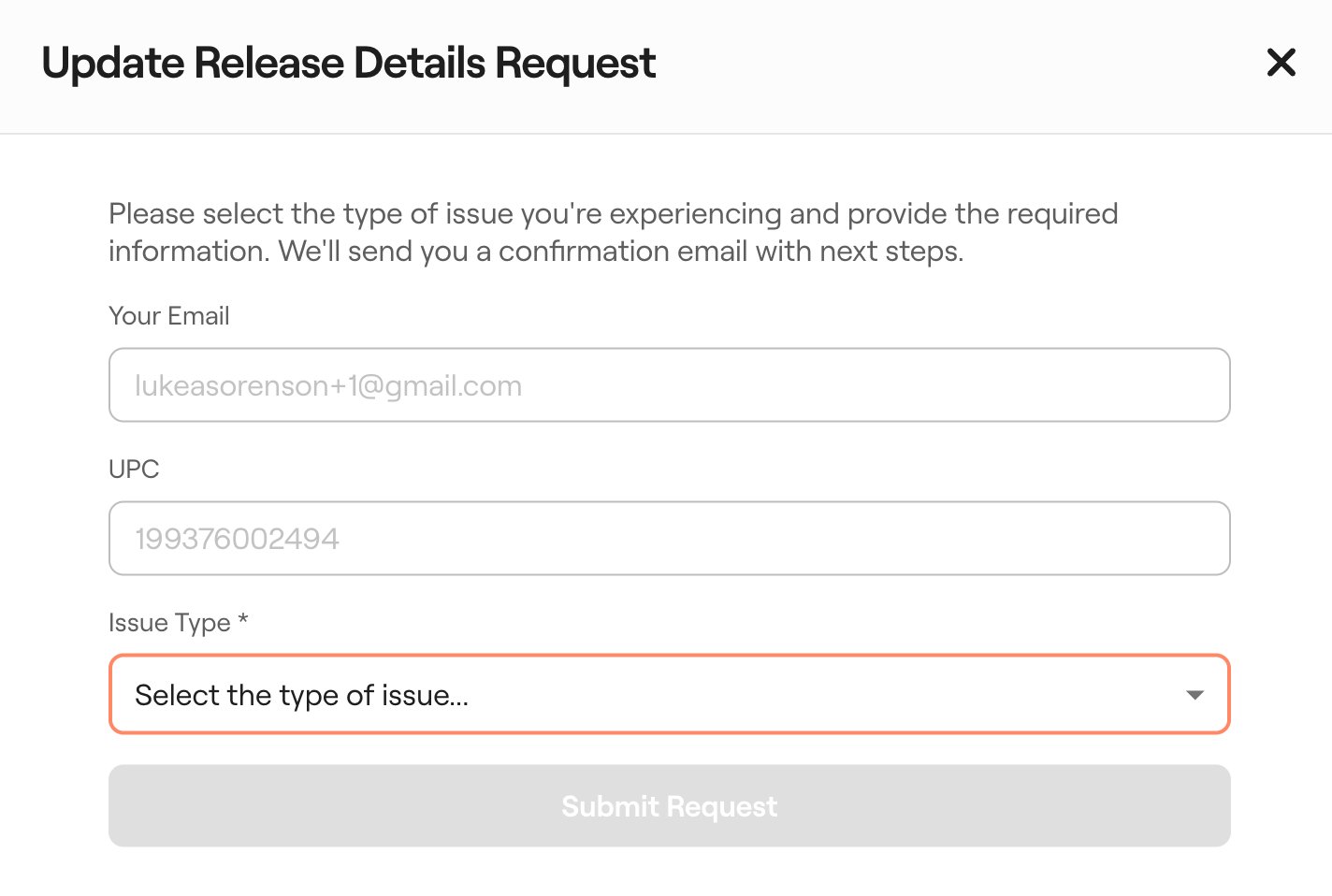
A support ticket form will open titled "Update Release Details Request." Your email address and UPC number will already be pre-populated — you don't need to enter these manually.
Step 6 — Select the issue type
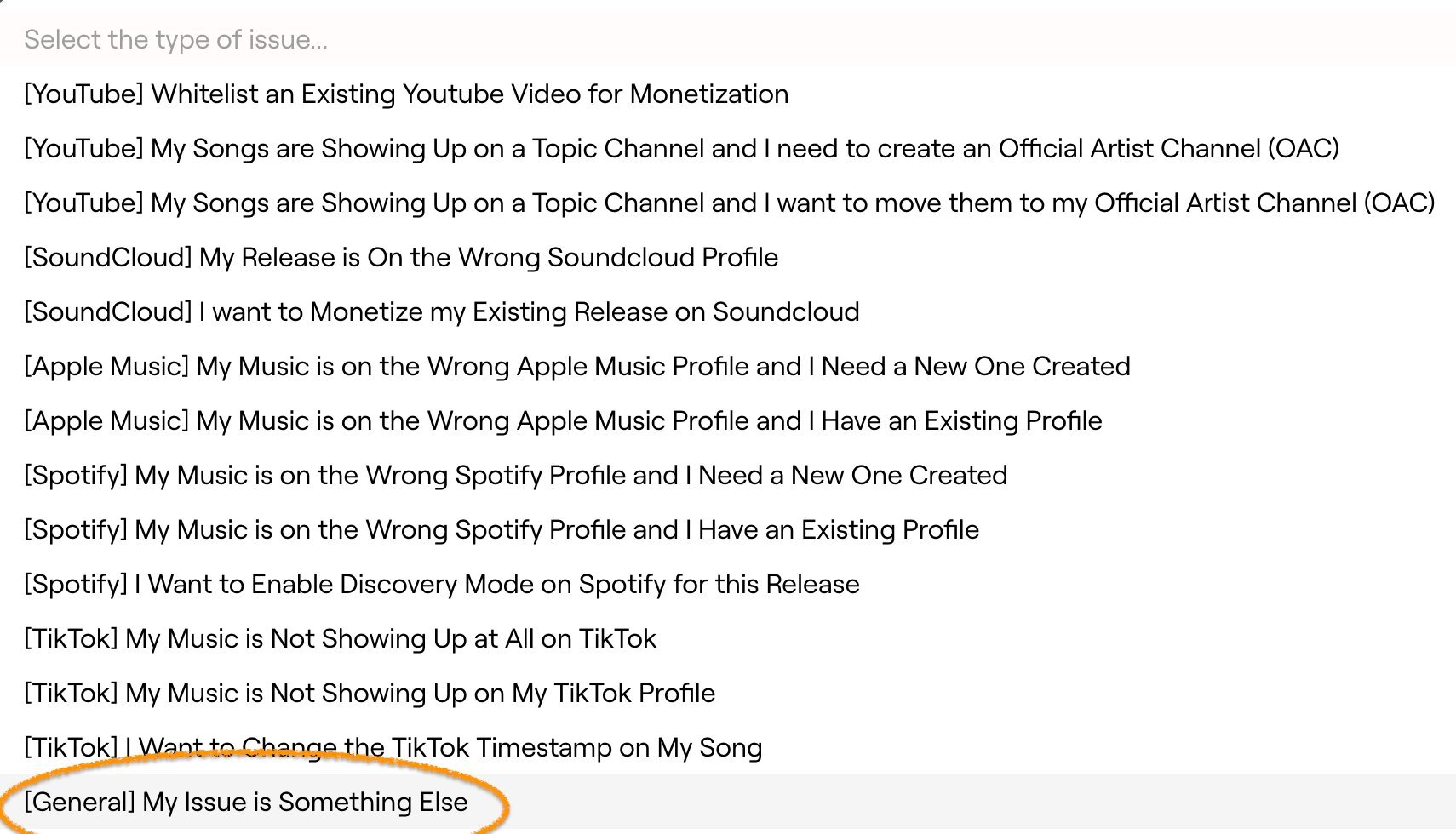
Click the Issue Type dropdown. Scroll to the bottom of the list and select "[General] My Issue is Something Else."
Step 7 — Describe your takedown request in the Additional Details field
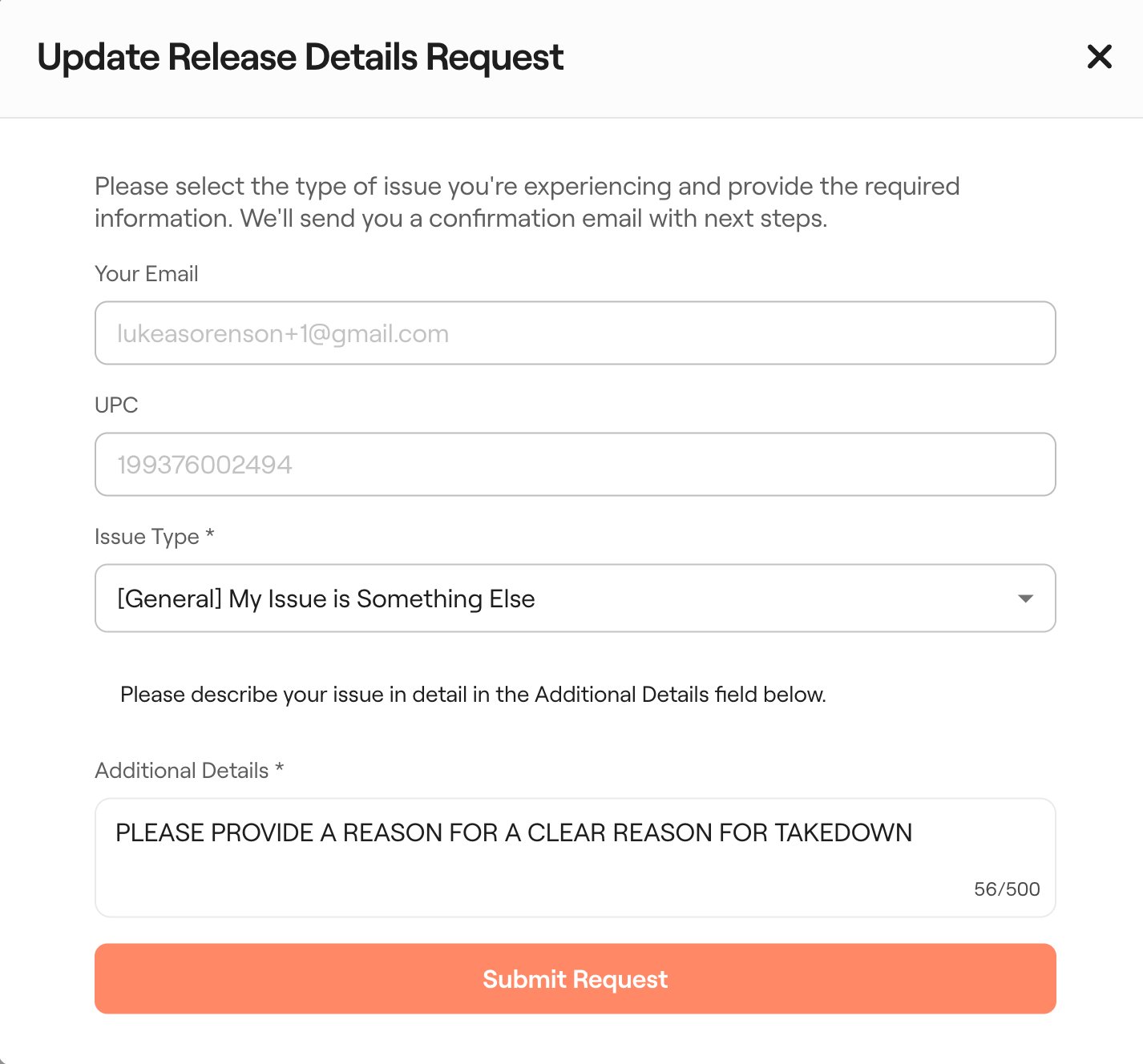
After selecting the issue type, an Additional Details field will appear. Clearly state that you are requesting a takedown and provide a reason. Be as specific as possible.
Example message:
"I'm requesting a takedown of this project because [your reason]. Please remove it from all platforms."
Step 8 — Submit your request
Click the orange Submit Request button. You will receive a confirmation email that your ticket has been received.
What happens after you submit
- Within 48 hours: You will receive confirmation that your takedown request has been submitted to all platforms.
- Within 7 days: Your release will be fully removed from all DSPs (Spotify, Apple Music, Amazon Music, etc.).
Need help?
If you have any issues submitting your request or have not received a confirmation within 48 hours, please contact our support team here.