![header-logo.dfd0f01451fc4201cdeb6bea513c8257.svg]](https://20049731.fs1.hubspotusercontent-na1.net/hubfs/20049731/header-logo.dfd0f01451fc4201cdeb6bea513c8257.svg)
The Big Rule: Keep Everything Identical
Streaming platforms only recognize your migrated release as "the same release" if every detail matches your original 1:1. If anything is off, they'll treat it as a brand-new release and your stream counts/playlists will reset to zero.
Must match exactly:
- Artist name(s)
- Album/single title & song titles (including versions)
- Original release date
- Cover art
- UPC/EAN and ISRCs
- Track count & track duration
- Audio files (same format, same compression — no re-exports or edits)
- Language & Parental Advisory setting
- Label name
- Songwriter/producer credits
Tip: Have your original release open side-by-side while you fill out the new one, so you can double-check every field.
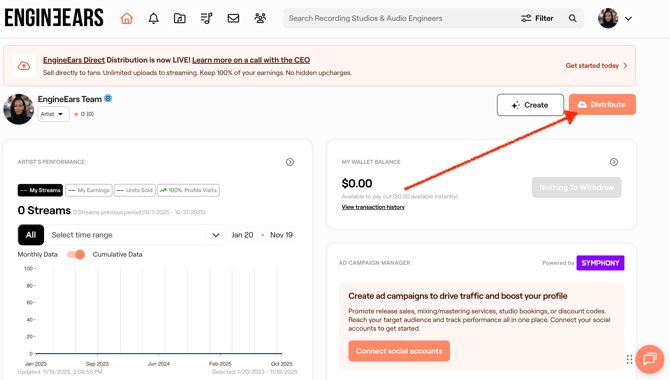
1. Start a new release on EngineEars by clicking the "Distribute" button on your dashboard
-
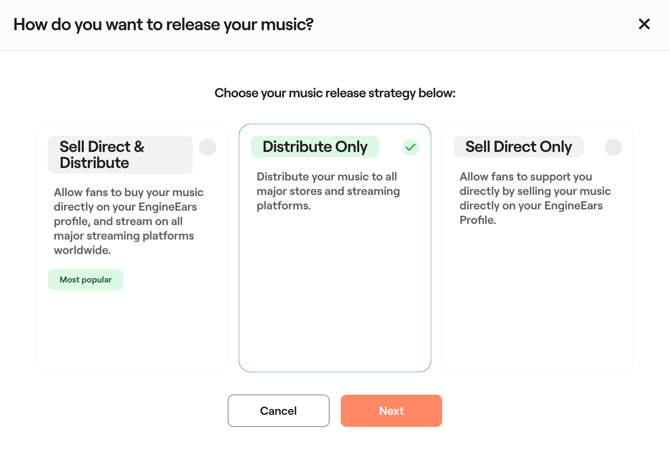
Choose "Distribute Only."
-
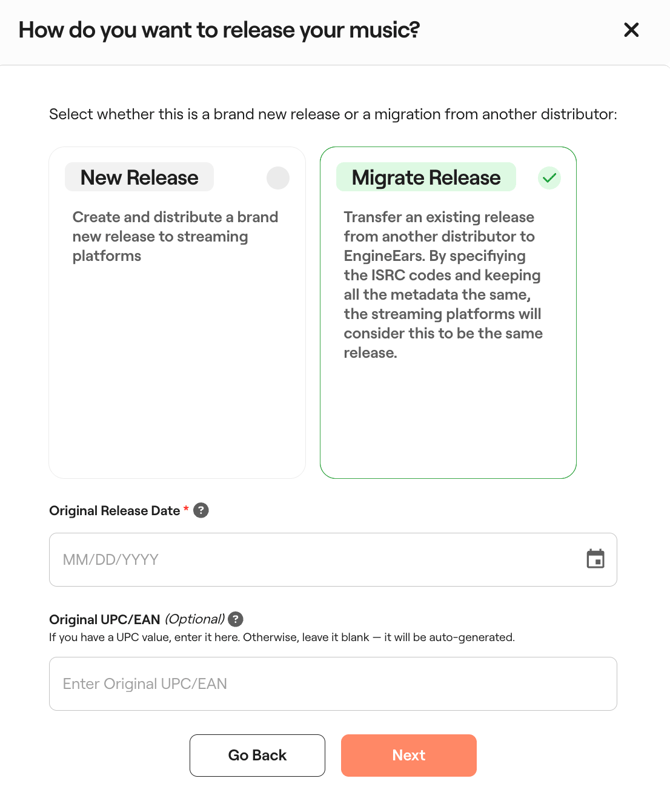
When asked for a Release Type, select "Migrate Existing Release."
-
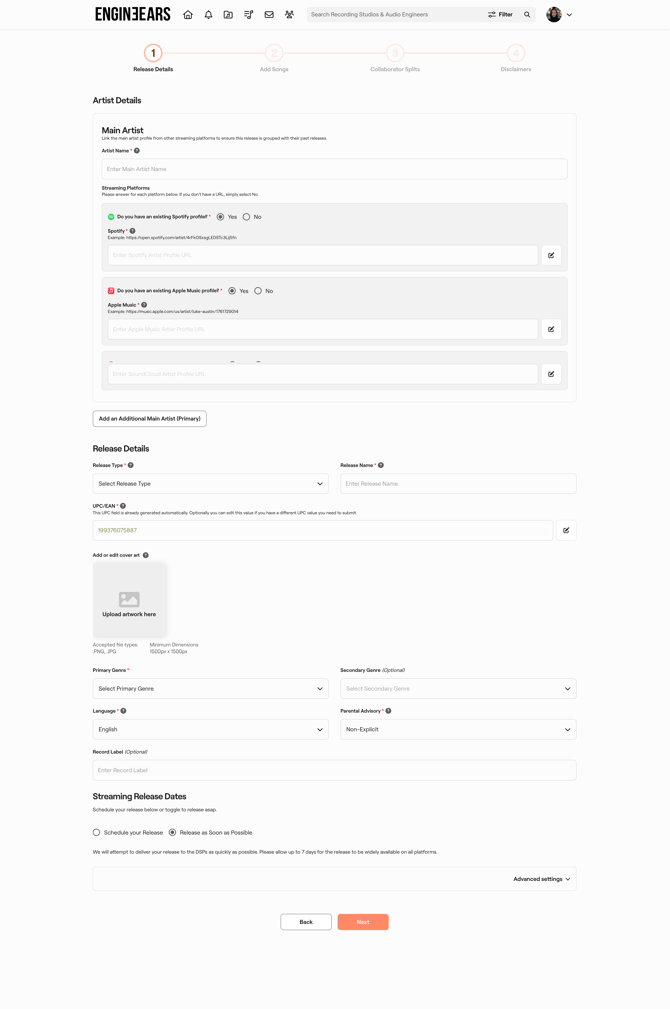
Fill in the Original Release Date, UPC/EAN, ISRCs, and all metadata to match your live release exactly, then upload the identical audio files.
2. Submit and wait
- Approval and delivery to streaming platforms takes 1–3 days.
- Track your release status here.
3. Check that it linked correctly
- Once live, you'll briefly see a duplicate listing on platforms like Spotify (look for "1 more release"). This is normal — it's how you confirm the migration worked.
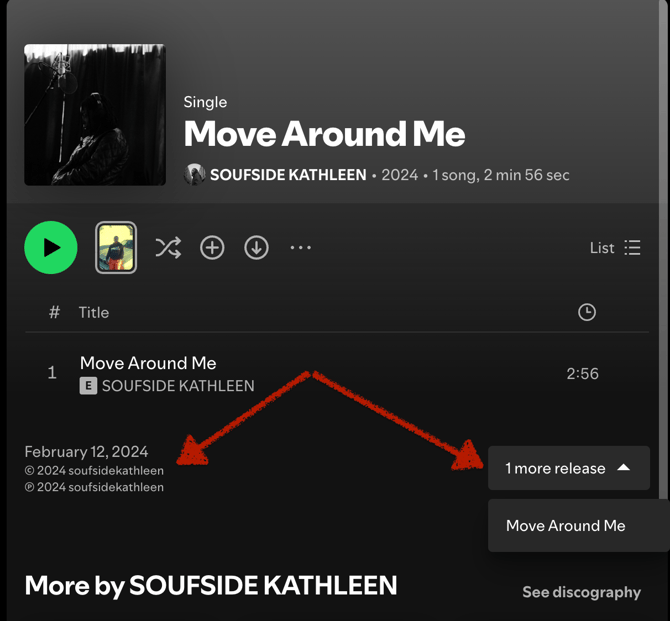
- Compare stream counts, playlist placements, and fan saves between the original and the new upload. They should match.
- If they don't match, double-check your metadata/audio files for anything that wasn't identical.
4. Take down the old release
- Once you've confirmed everything lines up, log in to your previous distributor and request a takedown of the original release there.
- Some duplicate overlap is normal while your old distributor processes the takedown — it's temporary.
- iTunes/Amazon Music reviews may not carry over.
- Historical analytics and royalty data from before the migration stay with your old distributor — EngineEars can't pull that in. Grab any historical data you need from your old distributor before switching. EngineEars analytics will pick up starting from the migration.
- Migration isn't 100% guaranteed — it depends entirely on how closely your new upload matches the original. Identical metadata and audio files give you the best shot.
contact support with any questions.