![header-logo.dfd0f01451fc4201cdeb6bea513c8257.svg]](https://20049731.fs1.hubspotusercontent-na1.net/hubfs/20049731/header-logo.dfd0f01451fc4201cdeb6bea513c8257.svg)
Before you start
- You'll need to setup a new release a
- Timed Release must be set up before your release date — it can't be applied retroactively once a release has started going live.
How Timed Release works

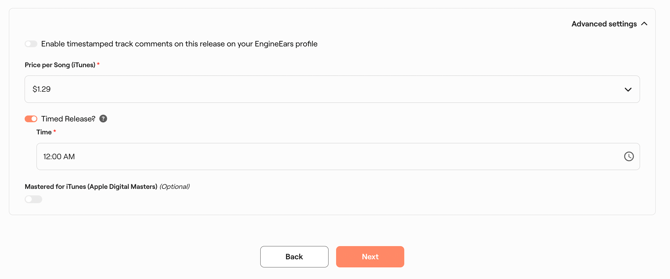
- On the first step of setting up a new release, navigate to the bottom of the page and you'll find the check the box for "Timed Release."
DSP support for Timed Release
| Does NOT support Timed Release |
|---|
| Apple Music |
| (and some other DSPs — requires confirmation for a complete list) |
If the Timed Release box is left unchecked, your release defaults to going live at 9:00 PM PST / 12:00 AM EST, and rolls out territory by territory as local midnight arrives — starting with the first time zone to reach midnight, not all at once. This is standard behavior for most releases and does not require any extra steps.
Do I need to do anything special for Apple Music? No extra action is required from you — EngineEars handles the delayed-delivery-plus-metadata-update process automatically once Timed Release is selected. Just make sure Timed Release is checked well ahead of your release date.
Still need help?
If your release doesn't behave as expected, contact EngineEars Support with your release name and UPC so the team can check delivery status.