![header-logo.dfd0f01451fc4201cdeb6bea513c8257.svg]](https://20049731.fs1.hubspotusercontent-na1.net/hubfs/20049731/header-logo.dfd0f01451fc4201cdeb6bea513c8257.svg)
Why does this happen?
- This is standard practice across distribution platforms and simply indicates who distributed the release
- It does not affect your ownership, rights, or royalties in any way
Yes — this can be customized. You can have "+ Distributed by EngineEars" removed from your label name entirely, or replaced with something else. Follow the steps below to submit your request.
How to request a label name changeThis follows the same process as submitting a release update request. The key is what you write in the Additional Details field in Step 7.
- Log in to your EngineEars profile
Go to engineears.com and sign in to the account that originally uploaded the release. - Navigate to "My Releases"
From the top navigation bar, click the releases icon (music note / stacked lines icon). This will open your My Releases dashboard where all your projects are listed.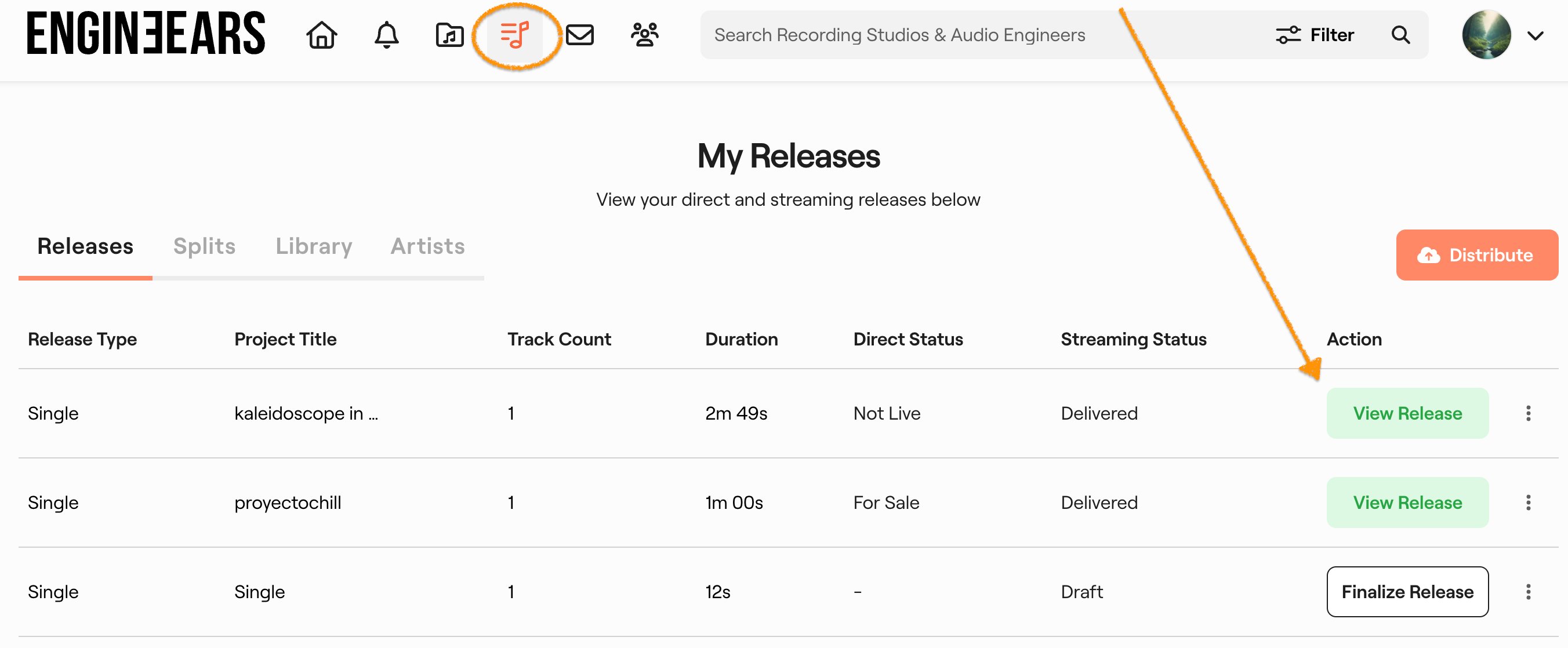
- Select the release you want to update
Find the release in your list and click View Release to open its detail page. - Open "Edit Details" and select "Request Release Update"
On the release detail page, click the orange Edit Details button in the top-right corner. From the dropdown, select "Request Release Update."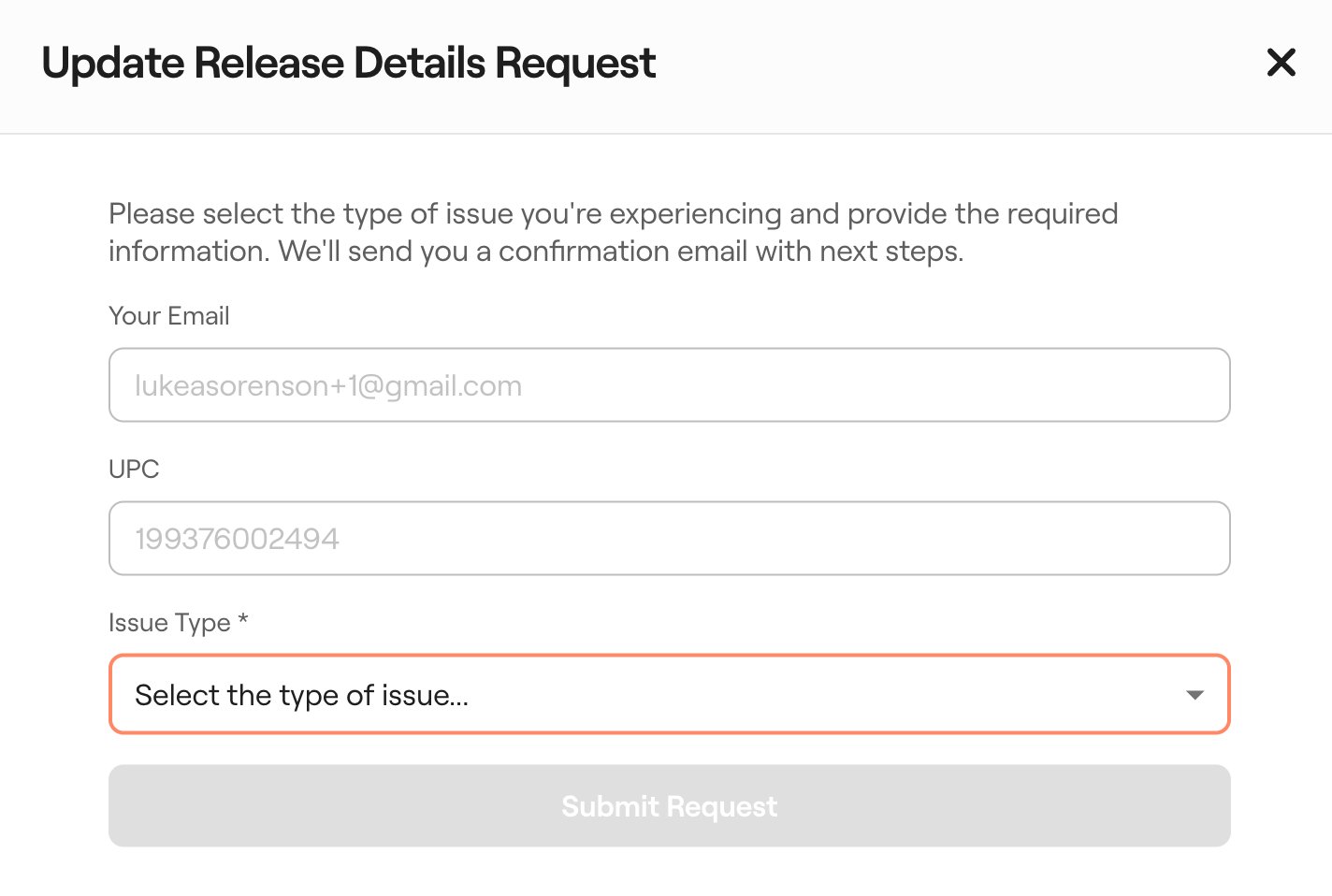
- Your email and UPC are automatically filled in
A support ticket form will open. Your email address and UPC number will already be pre-populated — you don't need to enter these manually. - Select the issue type
Click the Issue Type dropdown, scroll to the bottom, and select "[General] My Issue is Something Else."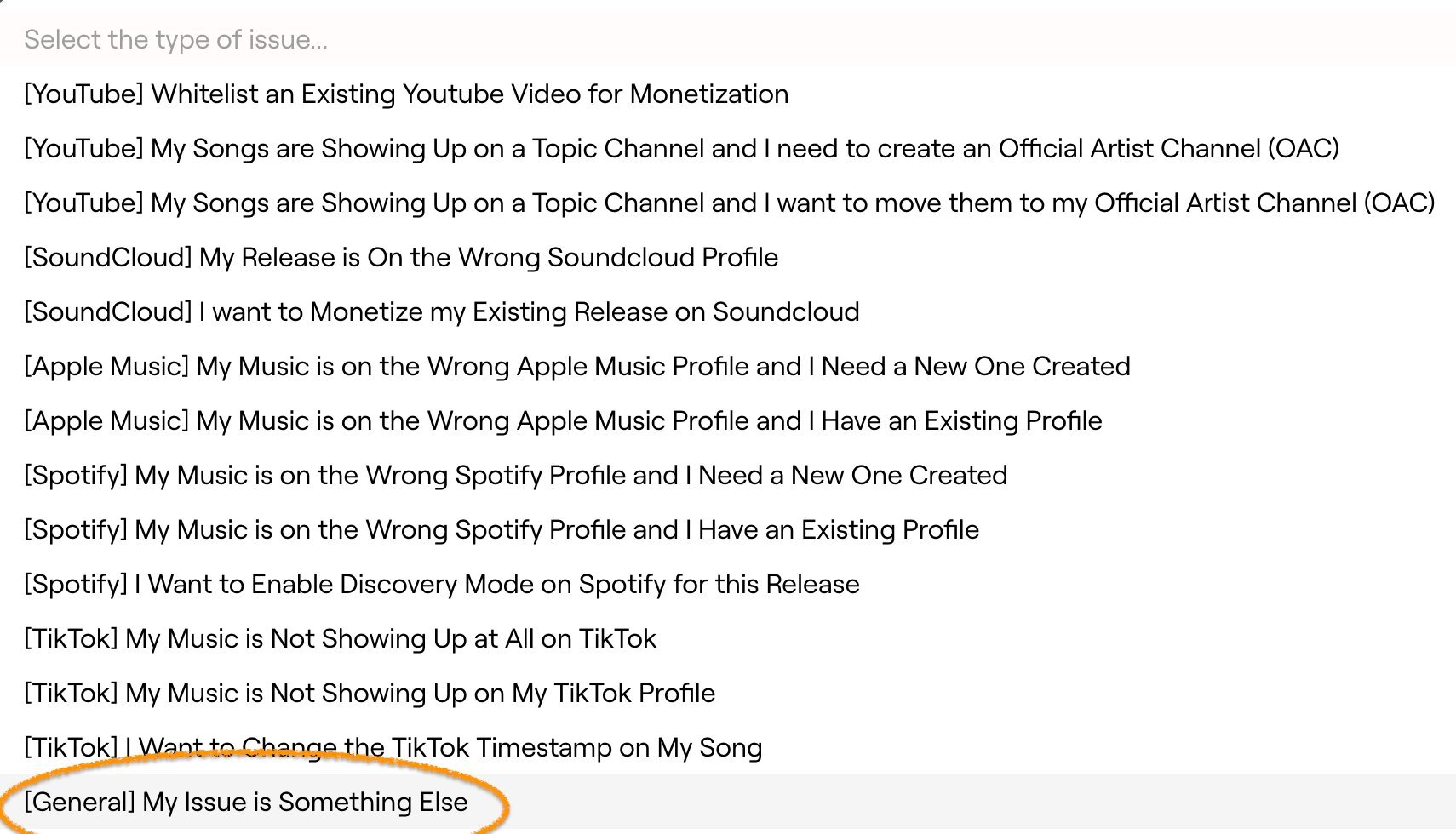
- Describe your request in the Additional Details field
In the Additional Details field, clearly state that you'd like the label name updated. Let us know whether you want it removed entirely or replaced with a specific name.
Example message:
"I'd like to remove '+ Distributed by EngineEars' from the label name on this release. Please update it to just [Your Label Name]."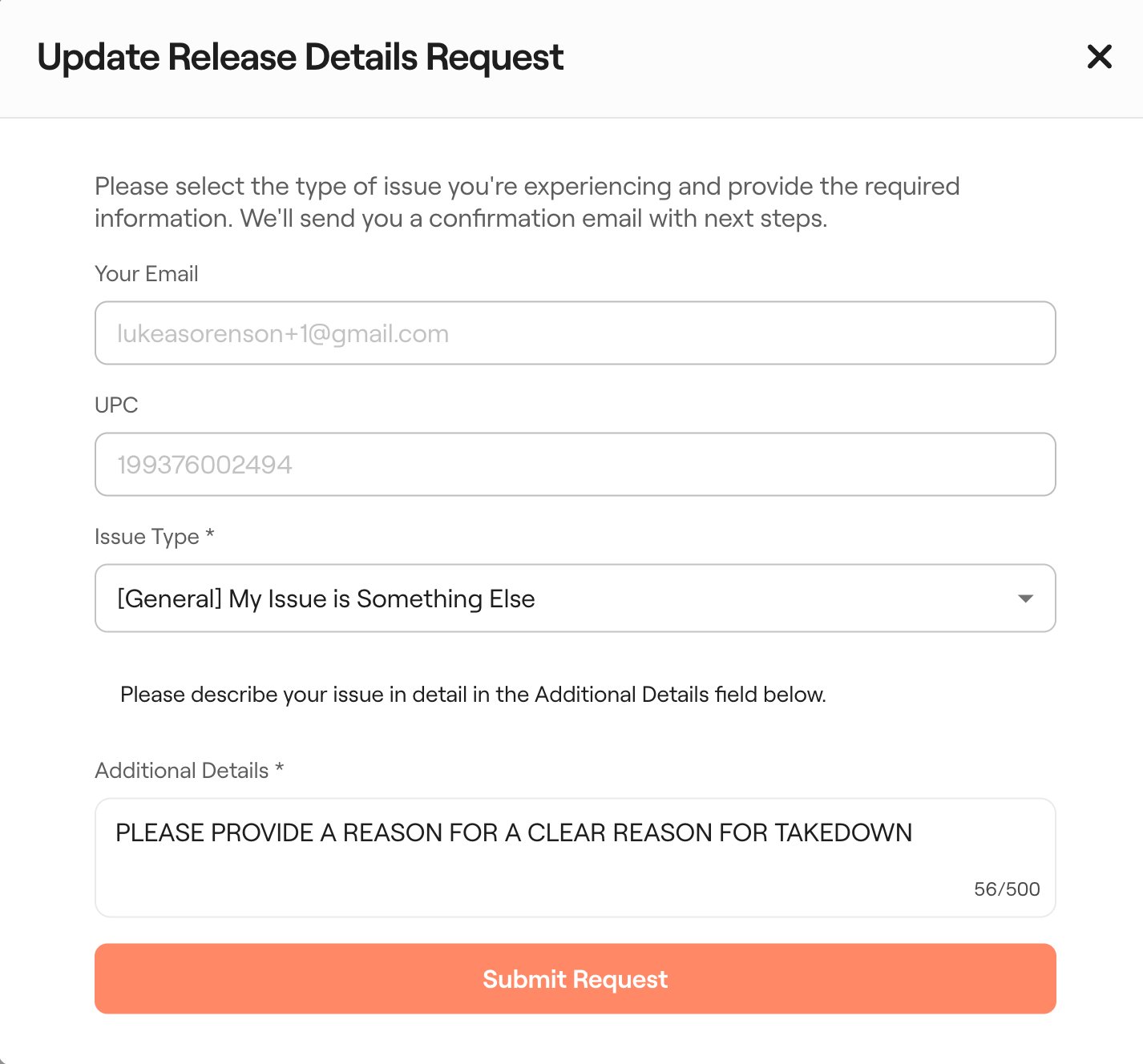
- Submit your request
Click the orange Submit Request button. You'll receive a confirmation email that your ticket has been received. Our team will process the update and apply it across all DSPs your release is distributed to.
Still have questions? Join a live Office Hours session or submit a Help Desk ticket.
→ How to Contact Support