![header-logo.dfd0f01451fc4201cdeb6bea513c8257.svg]](https://20049731.fs1.hubspotusercontent-na1.net/hubfs/20049731/header-logo.dfd0f01451fc4201cdeb6bea513c8257.svg)
Choosing your release type
Your release type is determined by track count:
- Single: 1 to 3 tracks
- EP: 4 to 6 tracks
- Album: 6+ tracks
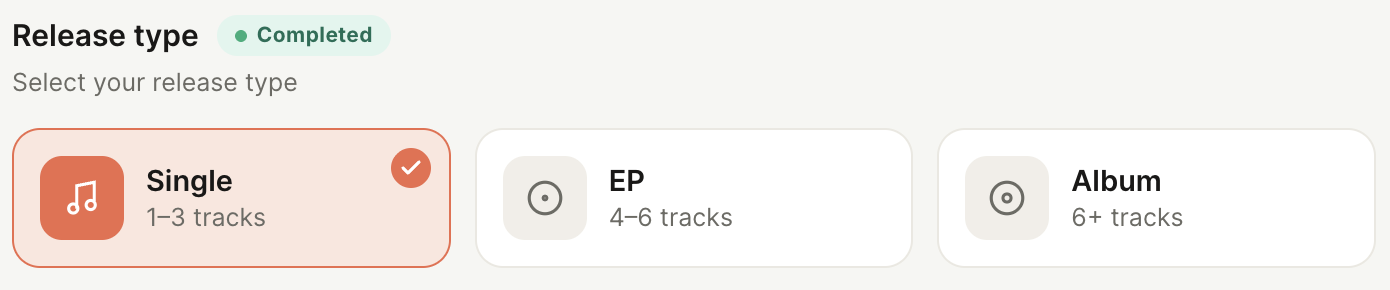
Choose the type that matches the total number of tracks you plan to upload for this release. This selection affects how your release is categorized and displayed on DSPs (streaming platforms).
Naming your release
Your release title should be typed exactly how you want it to appear on Spotify, Apple Music, and other streaming platforms. Once submitted, this is what fans and platforms will see, so it's worth double checking before moving forward.

- Spelling: Confirm your release title is spelled correctly. Typos are difficult to correct after a release has gone live on DSPs.
- Capitalization: Use the exact capitalization you want displayed. DSPs will publish your title as written, so "single name" and "Single Name" will not be treated the same.
- Do not include "featuring" in the title: If your release has a featured artist, do not add "feat." or "featuring" to the release title here. Featured artists are added at the track level when uploading each individual track, and their credit will automatically attach to the title on DSPs.
Primary artists vs. featured artists
It's important to understand the difference between adding a participant at this step versus adding a featured artist later, since they serve different purposes:

- Adding a participant here (Basic Information): Anyone added as a New Participant at this step is considered a Main Artist for the overall release. Use this when a single, EP, or album is a joint project between multiple primary artists, and each of them should be credited as a main artist across the entire release, not just on one track.
- Adding a featured artist at the track level: Featured artists are added individually when uploading each track in the Manage Tracks step, not here. This is the correct place to credit an artist who only appears on one or some tracks, rather than the release as a whole.
As a rule: if an artist should be credited as a primary artist for the entire project, add them as a participant in Basic Information step. If an artist is only featured on specific tracks, add them at the track level instead.